EXIZIP Features
What EXIZIP actually does, in detail.
EXIZIP exports QuickBooks Online invoices as individual PDF files packaged in ZIP downloads to your computer. For structured accounting data, export Invoices, Customers, and Products & Services as Excel (.xlsx) or CSV. See supported spreadsheet exports.
EXIZIP at a glance
| Works with | QuickBooks Online (Chrome extension for Google Chrome) |
|---|---|
| Invoice PDFs | One PDF per invoice, named with its QuickBooks invoice number, customer and date |
| ZIP packaging | Numbered ZIP files of 50 invoices each, assembled in your browser |
| Spreadsheet exports | Invoices, Customers, and Products & Services to Excel (.xlsx) or CSV |
| Export size | Up to 10,000 invoices, subject to your plan and usage limits |
| QuickBooks connection | Intuit's official sign-in; EXIZIP only reads your data and never changes QuickBooks records |
| Where files are built | In your browser; no invoice documents are uploaded to Stanrell servers |
| Free trial | 14 days, no credit card, 1 QuickBooks Online company, up to 500 invoice PDFs per rolling 24 hours |
| Paid plans | Solo (1 company), Pro (5), Firm (10), Multi-Firm (25); no daily PDF limit |
Prices and plan details: EXIZIP pricing.
Features in detail
Bulk invoice selection
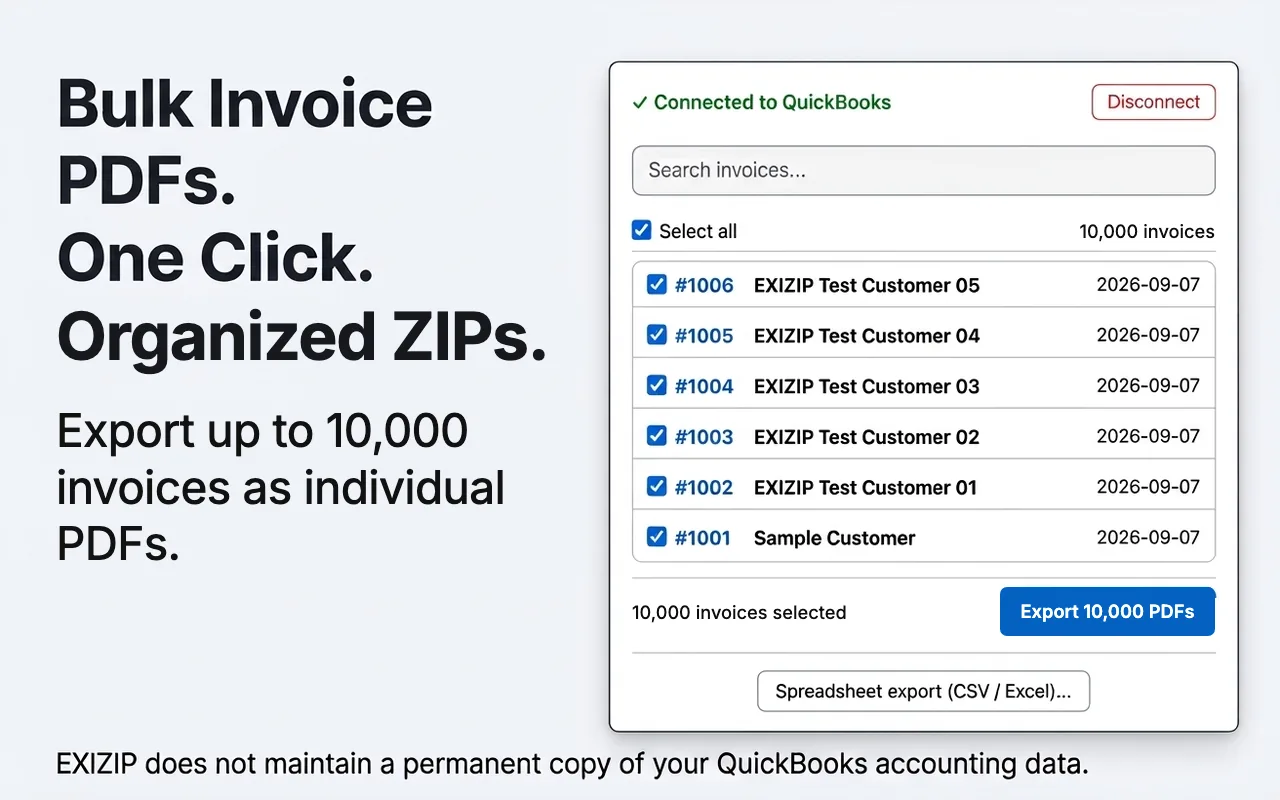
Browse your QuickBooks Online invoice list inside the extension, search or filter it, and select individual invoices or all of them at once.
Individual PDF export
Each selected invoice is exported as its own PDF file, fetched directly from QuickBooks.
ZIP packaging
Exported PDFs are bundled into numbered ZIP files of 50 invoices each, assembled in your browser, so you get organized downloads instead of many.
CSV export
Export invoice data as a CSV file for spreadsheets and downstream data workflows.
Excel export
Export the same invoice data as a native .xlsx spreadsheet.
Multiple QuickBooks companies over time
Your plan sets how many distinct QuickBooks Online companies you can connect over time. EXIZIP works with one connected company at a time — it is not a simultaneous multi-company dashboard.
Large export handling
Invoice discovery is paginated and exports are processed in chunks, so large invoice counts are handled without overwhelming a single request.
Export recovery
If an export is interrupted — for example, if the browser closes the extension mid-export — EXIZIP can resume from where it left off instead of starting over.
Progress feedback
The extension shows live progress while an export runs, including successes and any invoices that failed to download.