Exporting Thousands of QuickBooks Online Invoices with EXIZIP
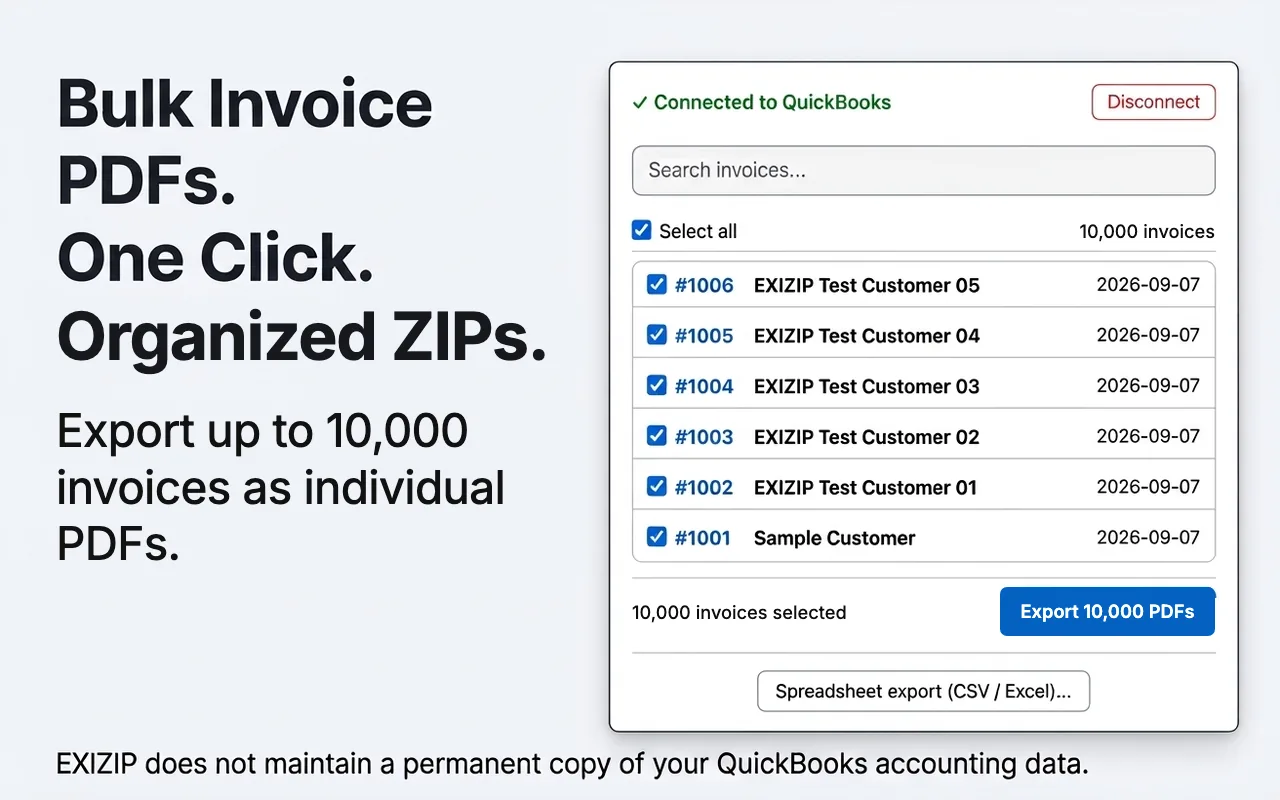
EXIZIP exports thousands of QuickBooks Online invoices in bulk, up to 10,000 invoices. It reads your invoices through the official QuickBooks Online API, downloads each invoice PDF directly into your browser and saves them, ZIP-packaged, to your Chrome download location. During the free trial: up to 500 invoice PDFs per rolling 24 hours.
Need data in addition to PDF documents? EXIZIP also offers Excel and CSV exports for QuickBooks Online invoices, customers, and products & services, downloaded to your computer.
- 14-Day Free Trial — No Credit Card Required.
- Cancel Anytime · Secure Payments Powered by Stripe.
How a large export runs
- Invoice list. EXIZIP reads your invoice list through the official QuickBooks Online API, 1,000 invoices per request, and shows it in the extension so you can select all or part of it.
- Invoice PDFs. Each selected invoice is downloaded as its own PDF directly from QuickBooks Online into your browser, a few at a time. If QuickBooks asks EXIZIP to slow down, EXIZIP waits and retries automatically.
- Packaging. The PDFs are packaged in numbered ZIP files of 50 invoices each, for example
Invoices-Export-2026-01-02-to-2026-03-31-part-001-of-200.zip, so that very large exports stay light for your browser. - On your computer. All parts are saved together in your Chrome download location, as one organized set of files.
How many invoices can one export handle?
EXIZIP supports bulk exports of up to 10,000 invoices. Tested on Intuit sandbox data with synthetic invoices. Results on your data can differ. Export larger histories in several runs. Paid plans have no daily PDF limit.
During the free trial, exports are limited to 500 invoice PDFs per rolling 24 hours, for 14 days, with no credit card required.
If an export is interrupted
If Chrome closes or the connection drops during an export, EXIZIP keeps track of the parts already saved and can resume from where it stopped instead of starting over. The progress view shows how many invoices succeeded and how many could not be downloaded.
Before you start a large export
- Keep Chrome open and your computer awake until the export finishes.
- Use a stable internet connection.
- Choose where Chrome saves downloads (Chrome Settings › Downloads), for example your Desktop or a dedicated folder.
- Make sure you have enough free disk space for the PDFs.
- Select only the invoices you need, for example one client or one period, to keep each export focused.
Frequently asked questions
How many invoices can EXIZIP export at once?
Up to 10,000 invoices on paid plans. During the free trial, up to 500 invoice PDFs per rolling 24 hours.
Why are large exports split into several ZIP files?
EXIZIP packages PDFs in numbered ZIP files of 50 invoices each so that the browser never has to hold thousands of PDFs in memory at once. All parts are saved together in your Chrome download location.
What happens if some invoices fail to download?
EXIZIP retries automatically when QuickBooks Online asks it to slow down. Invoices that still fail are counted in the progress view so you can export them again.
Are my invoice PDFs uploaded to Stanrell?
No. Invoice PDFs are downloaded directly from QuickBooks Online into your browser and saved to your computer. No invoice documents are uploaded to Stanrell servers.
- 14-Day Free Trial — No Credit Card Required.
- Cancel Anytime · Secure Payments Powered by Stripe.