
Short answer
QuickBooks Online has no built-in way to export all your invoices as separate PDF files. You can download one invoice at a time, print a batch as one combined PDF, or export lists and reports to Excel.
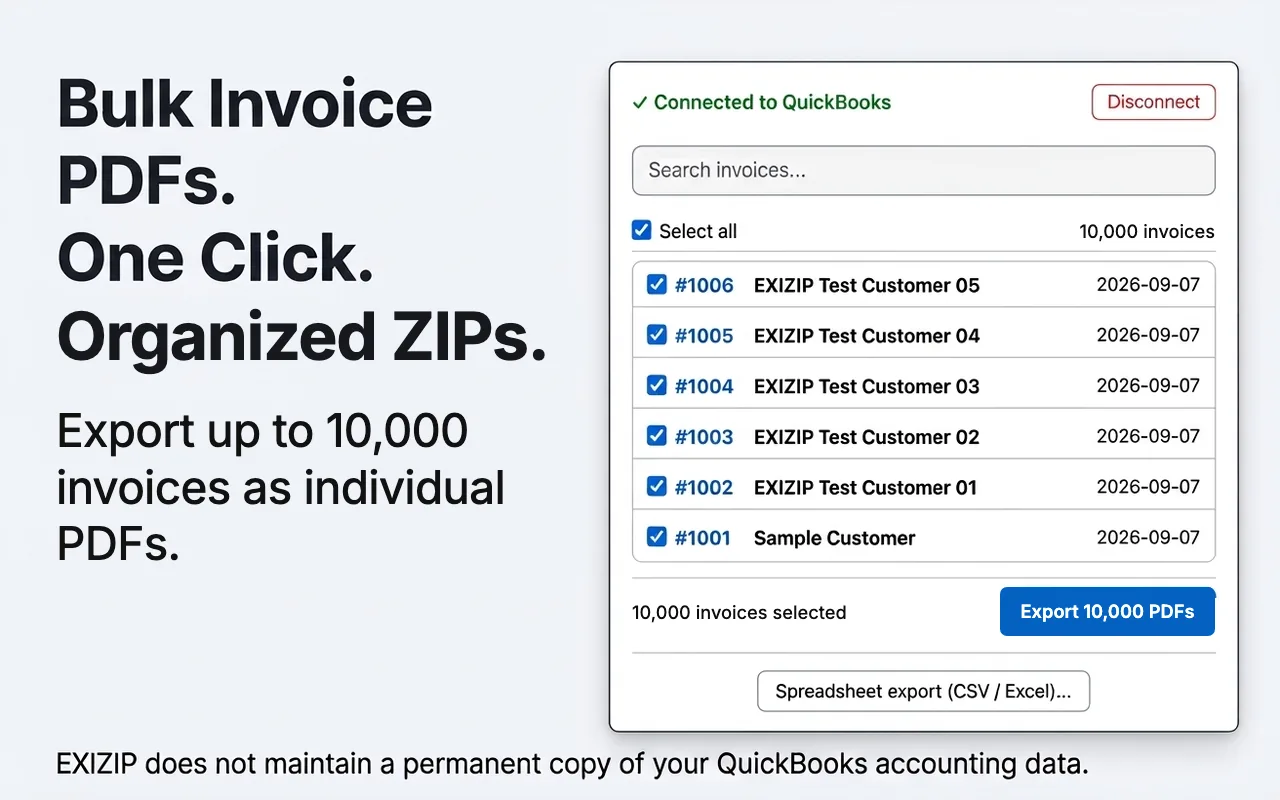
EXIZIP is a Chrome extension that exports thousands of QuickBooks Online invoices in bulk, up to 10,000 invoices: each invoice as its own PDF, named by invoice number, customer and date, organized in folders, in numbered ZIP files of 50 invoices each, with CSV and Excel as options. Exports are subject to the applicable plan and usage limits. During the free trial: up to 500 invoice PDFs per rolling 24 hours.
Export your QuickBooks Online invoices in bulk
One PDF per invoice, named by invoice number, customer and date, organized in folders, in numbered ZIP files of 50 invoices each.
 Add EXIZIP to Chrome — free trial
- 14-Day Free Trial — No Credit Card Required.
- Cancel Anytime · Secure Payments Powered by Stripe.
- Connects through Intuit's official sign-in — EXIZIP only reads your data, never changes QuickBooks records
- Your invoice files stay on your side — no invoice documents uploaded to Stanrell servers
Customer questions about bulk export, answered
The questions below are the ones people type into Google and post on the Intuit Community, in their own words.
How do I export all my invoices to PDF, one file per invoice?
“I need to export all of my invoices to PDF files. Preferably each invoice wouild be a separate file with the invoice number as a name.”
Intuit Community, thread 62013 · 24 replies, 674 views
In QuickBooks Online: each invoice must be saved as a PDF and renamed by hand. The QuickBooks team suggests submitting a feature request.
With EXIZIP: select the period you need and export every invoice as its own PDF, named by invoice number, customer and date, organized in folders, in numbered ZIP files of 50 invoices each. Add a CSV or Excel file of the same invoices if you need the data too.
Is there a way to batch print invoices in QuickBooks Online?
“How to print multiple invoices for a client, perhaps limited by date, in qbo ?”
Intuit Community, thread 60973 · 218 views. A related thread, “How can I reprint multiple invoices?”, has 26 replies and 287 views.
In QuickBooks Online: yes, with Batch actions › Print. The invoices come out as one merged PDF, and the Invoices page lets you filter one year at a time.
With EXIZIP: you get one PDF per invoice instead of one merged print file, ready to send, attach or print individually.
How do I convert a QuickBooks invoice to a PDF?
“How can i convert a quick books invoice to a pdf file”
Intuit Community, thread 284058 · 215 views
“i need to save all invoices to a pdf file, monthly to attach to the invoice on the ipp system”
Intuit Community, thread 53645
In QuickBooks Online: open the invoice, select Print or Preview (Print or download in the new layout), then Download. Intuit's help describes this for one invoice at a time, and the file gets a random name.
With EXIZIP: convert hundreds or thousands of invoices to PDF in one export: one PDF per invoice, named by invoice number, customer and date, organized in folders, in numbered ZIP files of 50 invoices each.
Why does QuickBooks save my invoice PDF with a random number instead of the invoice number?
File names are the most discussed bulk-export problem on the Intuit Community: six threads about invoice PDF names gathered more than 80 replies.
“PDF name of invoices are created with a random number different from the actual invoice number when I download an invoice”
Intuit Community, thread 94539
In QuickBooks Online: this is the default. A QuickBooks team member confirms QuickBooks Online “always saves a random number for your PDF file”, and there is no setting to change it.
With EXIZIP: every PDF is named by invoice number, customer and date, automatically: Invoice-1042-Acme-Corp-2026-09-30.pdf. No renaming.
How do I download my invoices before cancelling QuickBooks Online?
A QuickBooks Online subscriber planning to cancel asked how to download their data before cancelling.
Paraphrased from Intuit Community, thread 97340
In QuickBooks Online: “When you cancel your QuickBooks Online subscription you have read-only access to your QuickBooks Online data for one year.” During a free trial, “your data is available for 90 days.” Intuit recommends you “export or print your data before you cancel”, but Export data covers reports and lists, not invoice PDFs.
With EXIZIP: while your subscription is active, export your invoices to your computer as individual PDFs named by invoice number, customer and date, plus CSV or Excel.
Stop saving invoices one at a time
Export every QuickBooks Online invoice as its own PDF, named by invoice number, customer and date, organized in folders, in numbered ZIP files of 50 invoices each.
Add EXIZIP to Chrome — free trial
- 14-Day Free Trial — No Credit Card Required.
- Cancel Anytime · Secure Payments Powered by Stripe.
- Connects through Intuit's official sign-in — EXIZIP only reads your data, never changes QuickBooks records
- Your invoice files stay on your side — no invoice documents uploaded to Stanrell servers
How to get a list of all invoices in QuickBooks?
In QuickBooks Online: run the Invoice List report and export it to Excel. You get a list, without the invoice documents.
With EXIZIP: export the list as CSV or Excel and the invoices themselves as PDFs, in the same tool.
How do I download all invoices from QuickBooks?
“How do I download all of my invoices to save offline.”
Intuit Community, thread 127774
In QuickBooks Online: the answers point to the Invoice List report or Batch Print. The report is a list, not the invoices.
With EXIZIP: download every invoice as a PDF for offline storage, plus a CSV or Excel file of the same invoices.
How do I export all invoices from QuickBooks Online?
In QuickBooks Online: there is no “export all invoices” action for the documents. Export data gives you Excel lists and reports; invoice PDFs are downloaded one at a time.
With EXIZIP: select your invoices and export them (up to 10,000 invoices). Each invoice becomes its own PDF, named by invoice number, customer and date, organized in folders, in numbered ZIP files of 50 invoices each.
How to download multiple invoices from QuickBooks Online?
In QuickBooks Online: select invoices in Sales & Get Paid › Sales transactions and use Batch actions › Print. You get one combined PDF to print, not separate files.
With EXIZIP: multiple invoices are downloaded as multiple PDF files, one per invoice, bundled in numbered ZIP files of 50 invoices each.
Can I export an invoice from QuickBooks to Excel?
In QuickBooks Online: you can export invoice lists and reports to Excel, but there is no option to export the invoice document itself.
With EXIZIP: export the invoices you select to Excel or CSV, and as PDFs if you also need the documents. The spreadsheet has one row per invoice: invoice number, customer, invoice date, due date, total, balance, currency and memo.
Is EXIZIP safe to connect to QuickBooks Online?
EXIZIP connects through Intuit's official OAuth sign-in and only reads data: it never creates, changes or deletes QuickBooks records. Export files are built in your browser, so your invoices and export files are not stored on Stanrell's servers. See EXIZIP security.
What are the EXIZIP free trial limits?
14 days, no credit card, 1 QuickBooks Online company, and up to 500 invoice PDFs per rolling 24 hours. Excel/CSV exports don’t count toward the 500, but pause when the PDF limit is reached and when the trial ends. The trial requires Intuit sign-in and an active QuickBooks Online subscription. Paid plans have no daily PDF limit.
Can I export more than 500 invoices during the free trial?
The free trial allows up to 500 invoice PDFs per rolling 24 hours. Larger exports are available on paid plans, which have no daily PDF limit.
How do I cancel my EXIZIP subscription?
Monthly or annual, you can cancel anytime: open the Stripe billing portal with your license key or with your checkout email at billing.stripe.com, then click Cancel subscription, or email hello@stanrell.com from that address. Canceling stops future charges; your access continues to the end of the period you’ve already paid for. Payments already made aren’t prorated, except billing errors or a confirmed problem on our side.
Does uninstalling EXIZIP cancel my subscription?
No. Uninstalling the extension or disconnecting QuickBooks does not cancel your subscription. Cancel in the Stripe billing portal or by email.
Is EXIZIP made by Intuit?
No. EXIZIP is developed independently by Stanrell LLC, a U.S. software company based in Montana.
More guides: Download multiple invoices · Excel & CSV · Large exports · Organize invoice PDFs
How to export QuickBooks Online invoices in bulk with EXIZIP
- Install EXIZIP from the Chrome Web Store and pin it in Chrome.
- Connect QuickBooks Online with Intuit's official sign-in. You need an active QuickBooks Online subscription.
- Select your invoices, one by one or with Select all (free trial: up to 500 invoice PDFs per rolling 24 hours).
- Choose PDF, CSV or Excel.
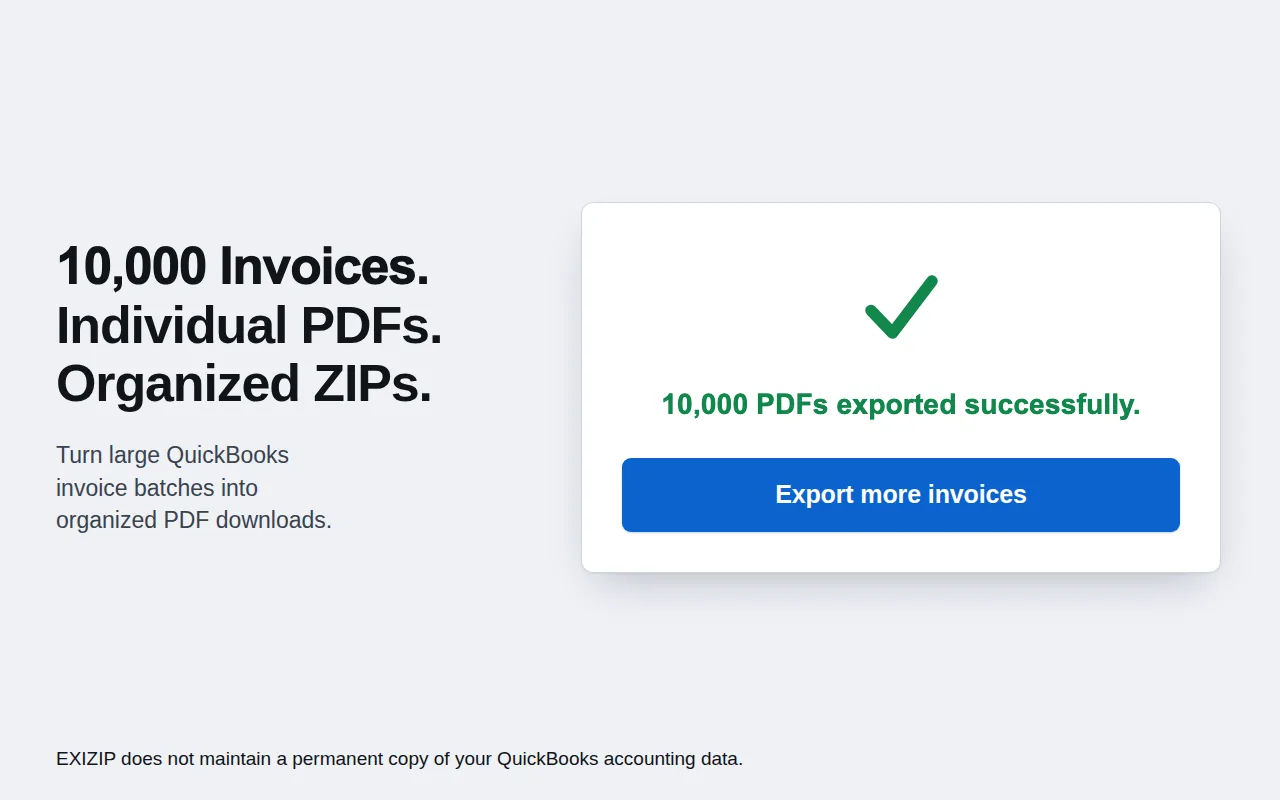
- Download your ZIP: one PDF per invoice, named by invoice number, customer and date, organized in folders.
Learn more about EXIZIP, its features and pricing.
Export your QuickBooks Online invoices in bulk
One PDF per invoice, named by invoice number, customer and date, organized in folders, in numbered ZIP files of 50 invoices each.
Add EXIZIP to Chrome — free trial
- 14-Day Free Trial — No Credit Card Required.
- Cancel Anytime · Secure Payments Powered by Stripe.
- Connects through Intuit's official sign-in — EXIZIP only reads your data, never changes QuickBooks records
- Your invoice files stay on your side — no invoice documents uploaded to Stanrell servers