How to Download (Export) Multiple QuickBooks Online Invoices as Separate PDFs
QuickBooks Online's batch print saves selected invoices as one combined PDF. EXIZIP downloads each selected invoice as its own PDF, named with its invoice number, customer and date, and saves them together on your computer.
- 14-Day Free Trial — No Credit Card Required.
- Cancel Anytime · Secure Payments Powered by Stripe.
Short answer
In QuickBooks Online, select invoices in Sales › Invoices and use Batch actions › Print transactions: you get one combined PDF. To get one PDF per invoice, named with the invoice number, customer and date, use EXIZIP: select the invoices and export them; the PDFs are packaged in ZIP files and saved to your computer.
How do I download all my QuickBooks Online invoices at once?
In QuickBooks Online: Community answers describe selecting invoices in Sales › Invoices, then Batch actions › Print, and saving the result. That produces one combined PDF, and a 2023 answer notes the download works one year at a time.
With EXIZIP: select the invoices you need in the extension and export them, each as its own PDF.
How do I get one PDF per invoice instead of one big PDF?
In QuickBooks Online: the batch print result is a single multi-page PDF; one community reply suggests splitting it afterwards with a PDF tool.
With EXIZIP: every invoice is downloaded as a separate PDF file, generated by QuickBooks Online, so there is nothing to split.
Why does my invoice PDF have a random number as its file name?
In QuickBooks Online: a QuickBooks team member explained that the number in the downloaded file name is the transaction ID, not the invoice number, and that the file name cannot be set before download.
With EXIZIP: each PDF is named with its invoice number, customer and date, for example Invoice-1043-Acme-Co-2026-03-31.pdf.
Step by step: download multiple invoices as separate PDFs with EXIZIP
- Install EXIZIP from the Chrome Web Store.
- Connect your QuickBooks Online company with Intuit sign-in.
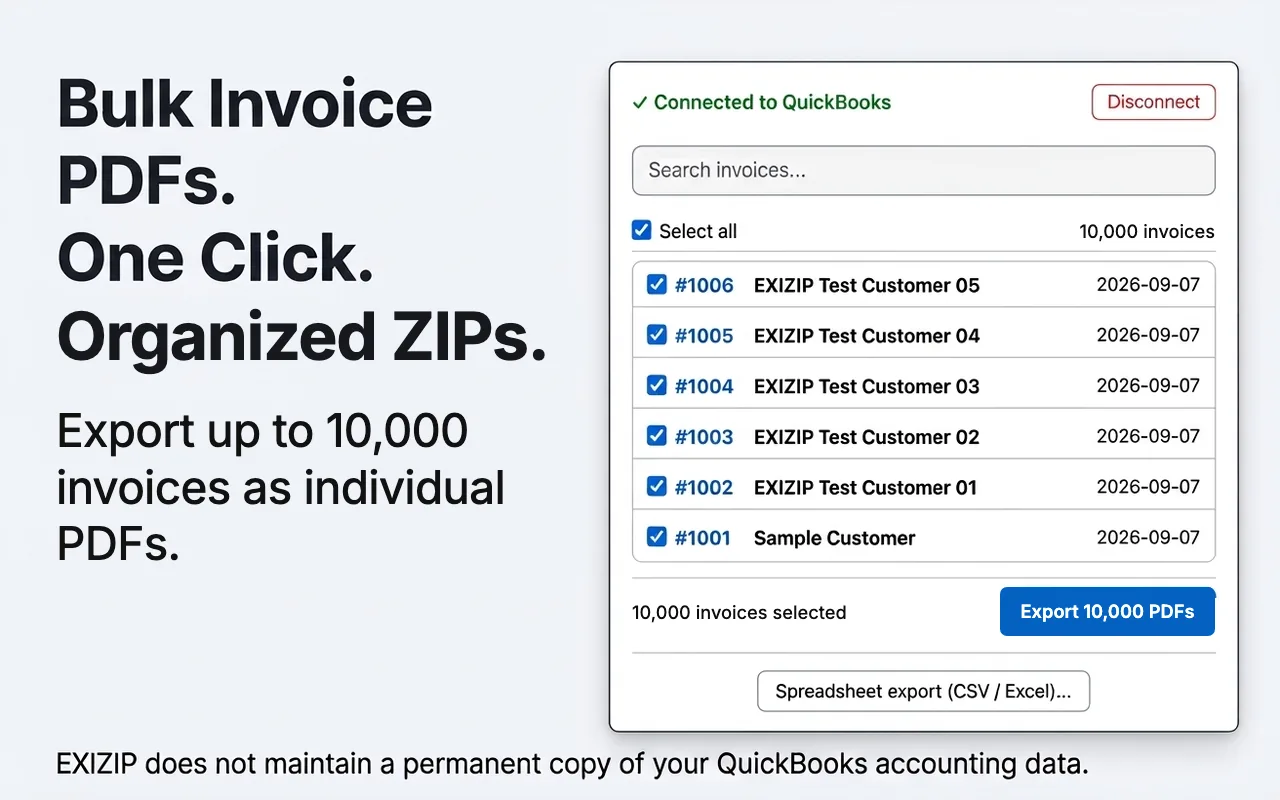
- Select the invoices you need, or use Select all.
- Click Export PDFs (up to 10,000 invoices). Each invoice becomes its own PDF, packaged in ZIP files.
- Open your downloads and unzip the files.
Can I also get the invoice data in a spreadsheet?
Yes. EXIZIP also exports your invoices to Excel (.xlsx) or CSV, one row per invoice. See Export invoices to Excel or CSV.
Frequently asked questions
Is there a limit to how many invoices I can download with EXIZIP?
Up to 10,000 invoices. No daily PDF limit on paid plans. During the free trial, up to 500 invoice PDFs per rolling 24 hours, for 14 days, with no credit card required.
Do I need to rename the files after downloading?
No. EXIZIP names every PDF with its invoice number, customer and date.
Where are the downloaded invoices saved?
In your Chrome download location, for example your Desktop if you choose it in Chrome Settings › Downloads. The PDFs are ZIP-packaged and saved together.
Sources
- Intuit Community — How to download all invoices at a time in PDF format (batch print, per-year download)
- Intuit Community — How to download invoices as PDF all at once
- Intuit Community — Customize downloaded invoice PDF names (transaction ID in file name)
Related guides
- 14-Day Free Trial — No Credit Card Required.
- Cancel Anytime · Secure Payments Powered by Stripe.